

What you can do
- Curate new knowledge into the context tree
- Ask a question about the context tree and read the answer alongside the agent’s reasoning
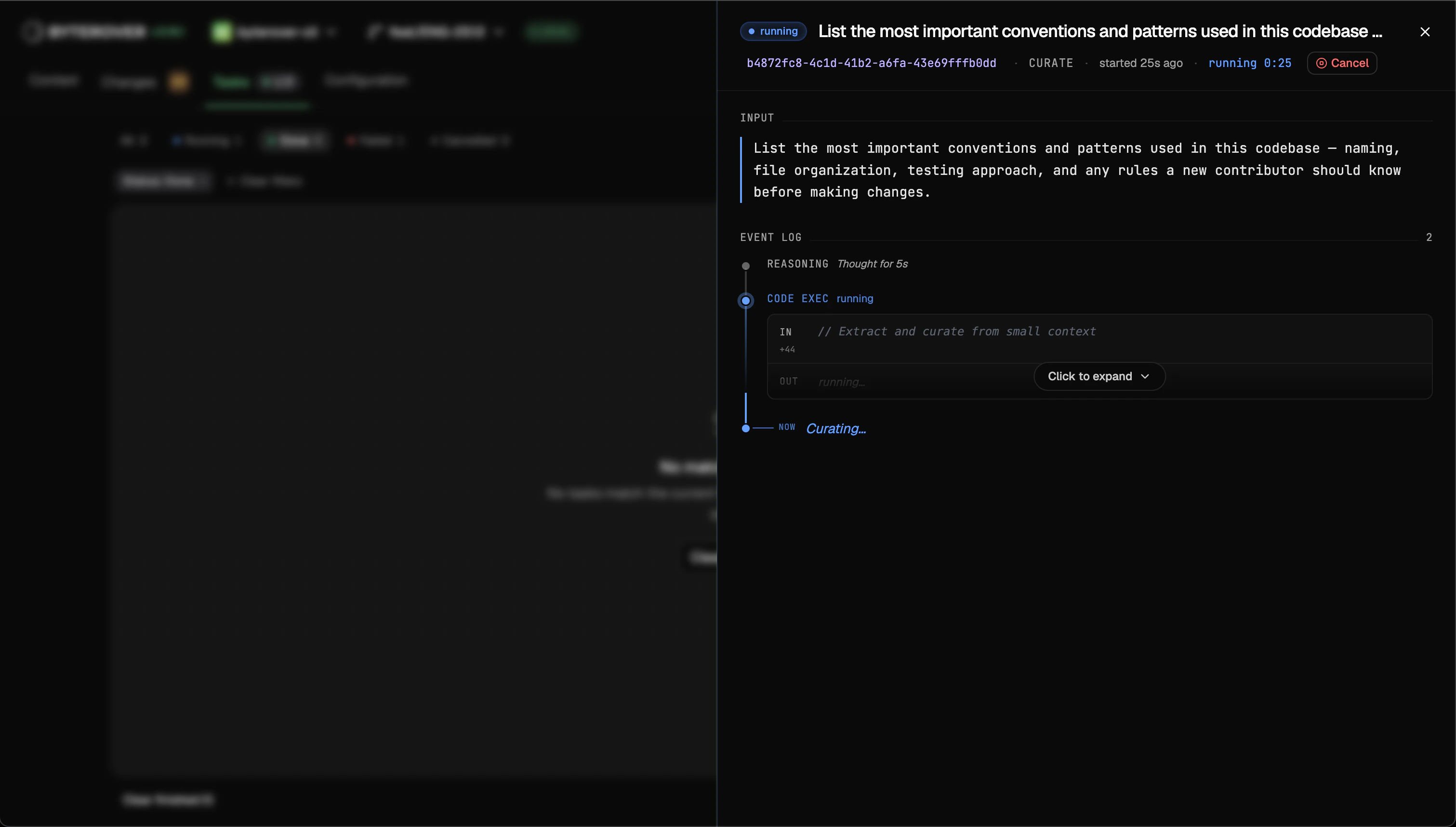
- Follow a running task step by step while it works
- Browse, filter, and revisit every task you’ve ever run on this project
Curate vs query
Curate writes new knowledge into the context tree. Query asks a question about the context tree and returns an answer grounded in the knowledge the agent pulls from it. Both start from the same place — only the intent differs.Task history
Every task is journaled to disk per project, so the list survives daemon restarts andbrv upgrades. By default, the most recent 1000 tasks per project are kept and older entries roll off automatically — tune the cap with taskHistory.maxEntries.
What’s in the list
Each row shows the task’s ID, type (curate or query), provider and model, the input, status, when it started, and how long it ran.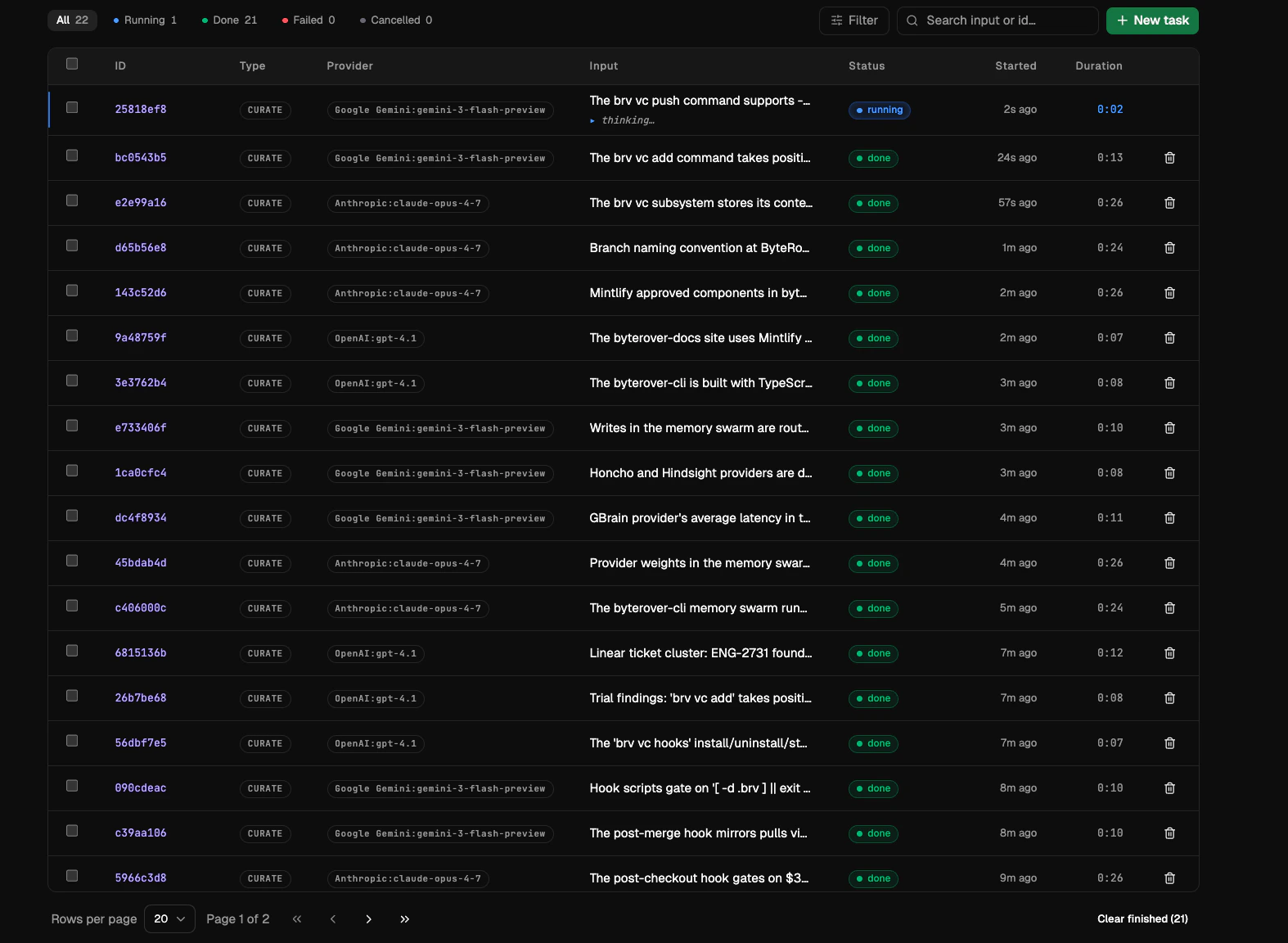
Filter and search
Use the filter menu to narrow the list:- Status — running, completed, errored, cancelled
- Type — curate or query
- Provider and model — the LLM that ran the task
- Duration — short, medium, long, or very long
- Date range — created after / before
- Free-text search over the task input
Pagination
Long histories are paginated, with the page and active filters reflected in the URL so refreshing the tab keeps you in place.Open a task
Click any row to open the task detail view. The full event log replays exactly what happened — agent reasoning, tool calls and their results, the final answer or curate summary — so a finished task reads the same way it did while it was running.Cancel a running task
Tasks that are still in flight expose a Cancel action in two places:- Task list — a Cancel button on every row whose status is running. One click sends the cancel signal and the row transitions to
cancelledonce the daemon acknowledges. - Task detail header — the same Cancel button appears on a running task’s detail view, so you don’t have to back out to the list.
completed, errored, cancelled) show a Delete action instead. Cancelling is equivalent to running brv curate --cancel <id>, brv query --cancel <id>, or brv dream --cancel <id> from a terminal.
Bulk delete
Tick the checkbox on one or more rows to select them; the bulk-actions bar shows{N} selected with a Delete action. Removed tasks vanish from the list immediately.
Next steps
Contexts
Browse and edit your context tree.
Providers & Models
Connect providers and pick a model.