

Do I need a team or space to use ByteRover?
Do I need a team or space to use ByteRover?
No. ByteRover works fully locally without any team or space. Teams and spaces are cloud-only features for team collaboration and multi-machine sync.You only need them when you want to use
/vc push and /vc pull to sync context between machines or share it with teammates.See the Local vs Cloud page for details on what works locally vs what requires cloud.What is a Space in ByteRover?
What is a Space in ByteRover?
A space is a shared context container that can include multiple related projects. It is intentionally not limited to a single project, which is why we use the term space instead of project.For example, if you have:
byterover-uibyterover-backendbyterover-agent
Spaces are a cloud-only feature that requires authentication. Local usage does not require spaces.
Can one space be used for multiple projects?
Can one space be used for multiple projects?
Yes. A single space can contain multiple projects, and this is a supported workflow. You can already use this setup today without issues.
What is a Team in ByteRover?
What is a Team in ByteRover?
A team is functionally equivalent to an organization. Teams are used to manage members, spaces, and access control.
Teams are a cloud-only feature. Local usage — curate, query, providers, connectors — works without being in a team.
Can I manage teams and spaces from the CLI?
Can I manage teams and spaces from the CLI?
You can manage spaces from the CLI using Git-Semantic version control:In the REPL:From the CLI:Creating, renaming, and deleting teams and spaces is done via the web app.
brv space list and brv space switch are deprecated in v3.0.0. Use brv vc remote to manage remote connections instead.How do I manage my team's spaces and members?
How do I manage my team's spaces and members?
To access team settings, click on your team name in the top left corner of the web app and select “Manage Team”.From the Settings page, you can:Manage Spaces — Create, rename, or delete spaces from the Spaces tab.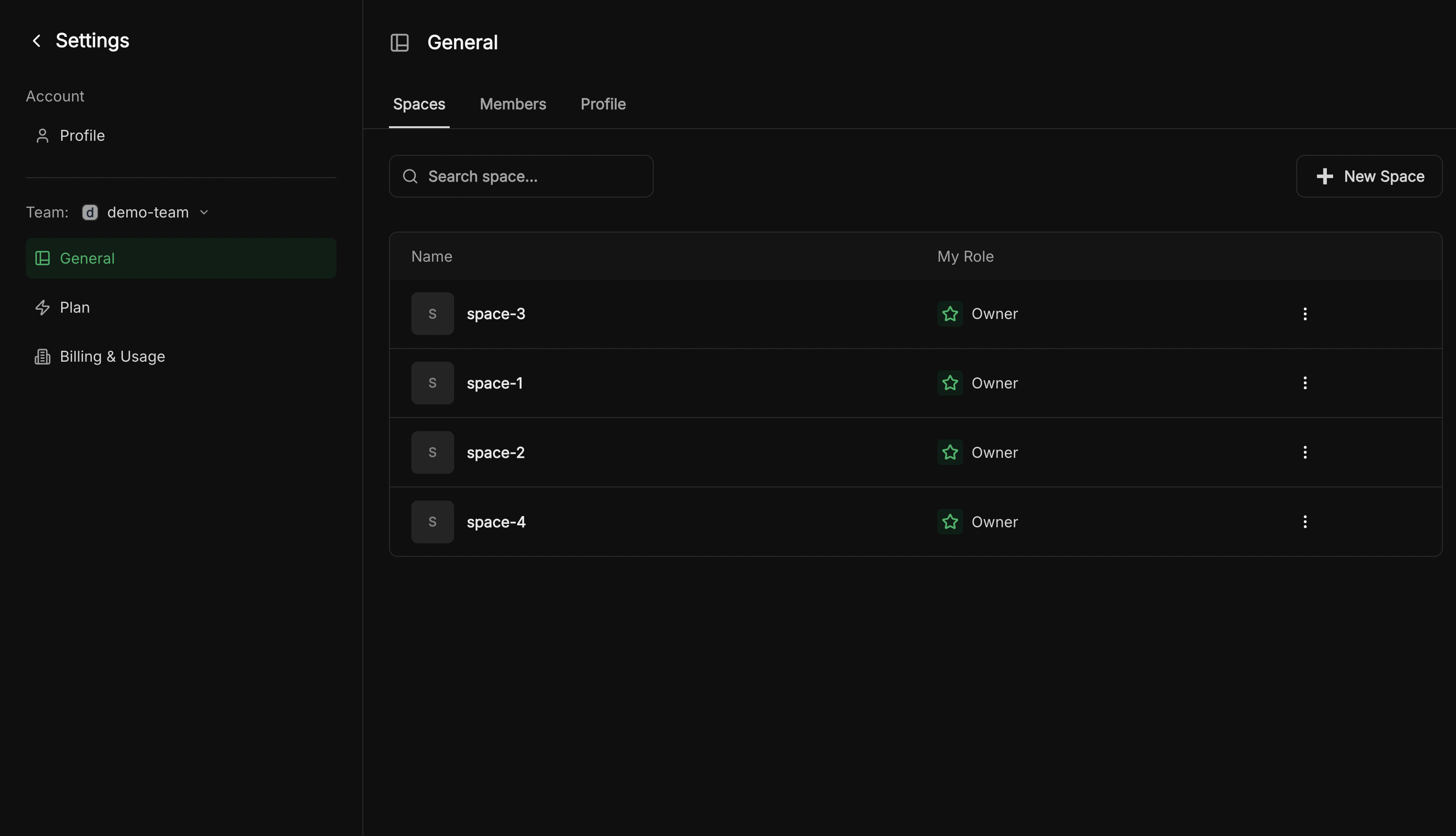
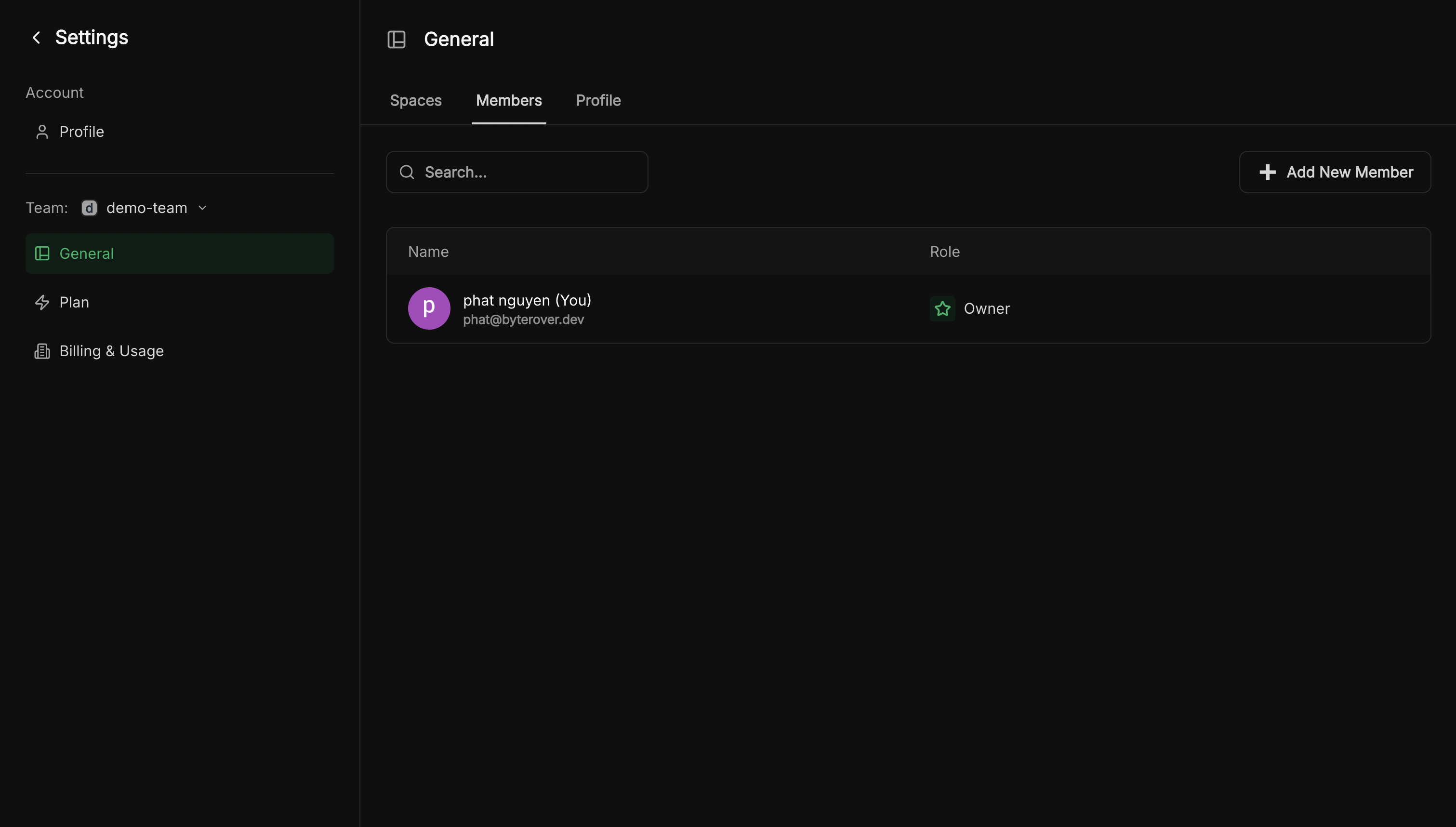
How do I track my team's usage?
How do I track my team's usage?
Navigate to Manage Team → Billing & Usage to view your team’s current plan, seat allocation, and credit consumption.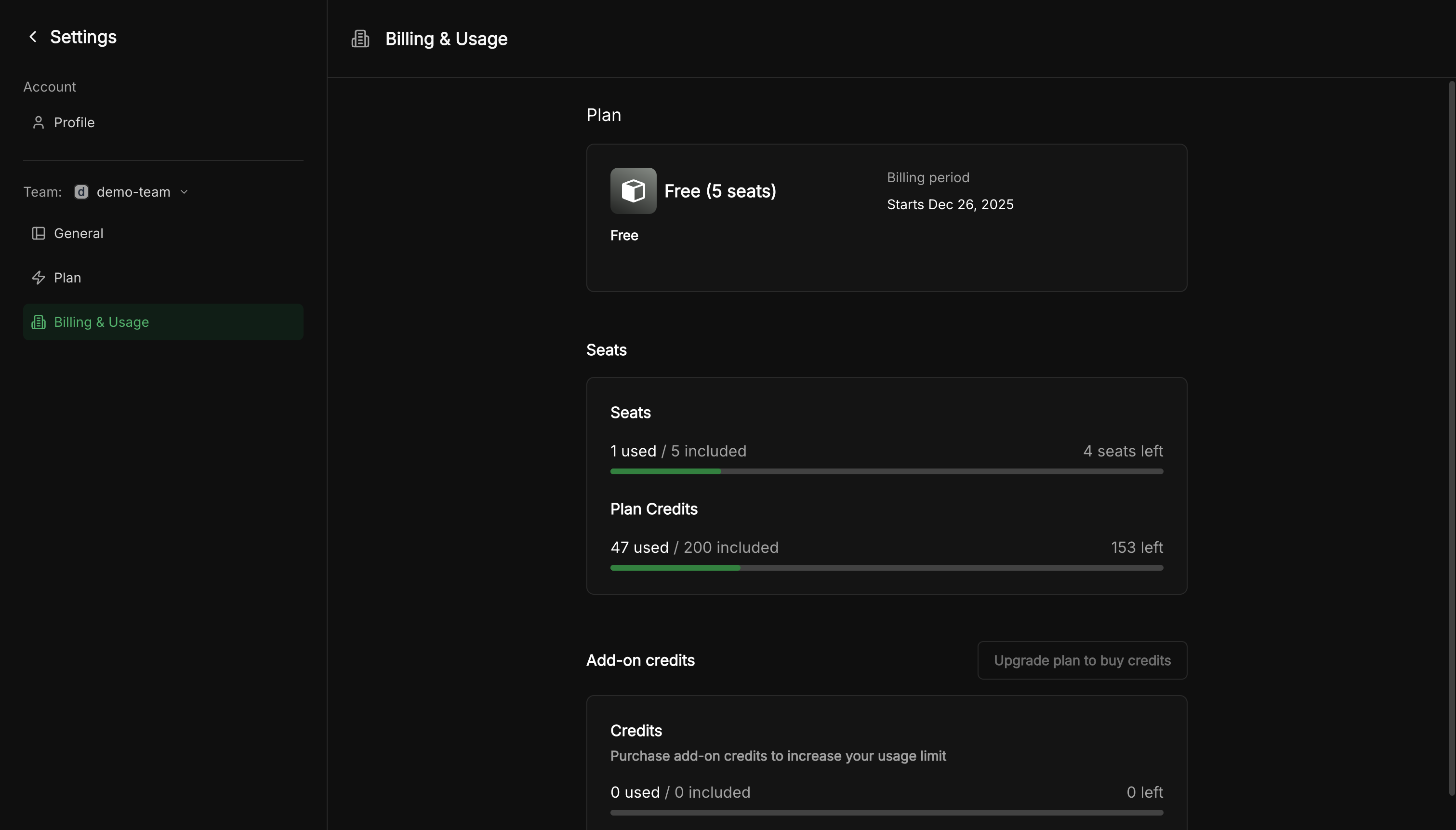
- Plan — Your current subscription tier
- Seats — How many team members are using seats
- Plan Credits — Usage against your monthly credit allocation