

brv-query, brv-curate) or CLI commands (brv query, brv curate).
Connector types
ByteRover supports four connector types:Skill Connector
Drops ByteRover skill files into your project that agents pick up automatically.
MCP Connector
Gives your agent
brv-query and brv-curate tools directly.Rules Connector
Adds a rules file (e.g.,
CLAUDE.md) your agent reads on startup.Hook Connector
Injects ByteRover instructions into every prompt automatically.
Skill is the default connector for most agents, providing comprehensive
project-level guidance. MCP is the default for Augment Code, Claude Desktop,
Cline, Qwen Code, and Zed.
Connect an agent
- TUI
- CLI
Run 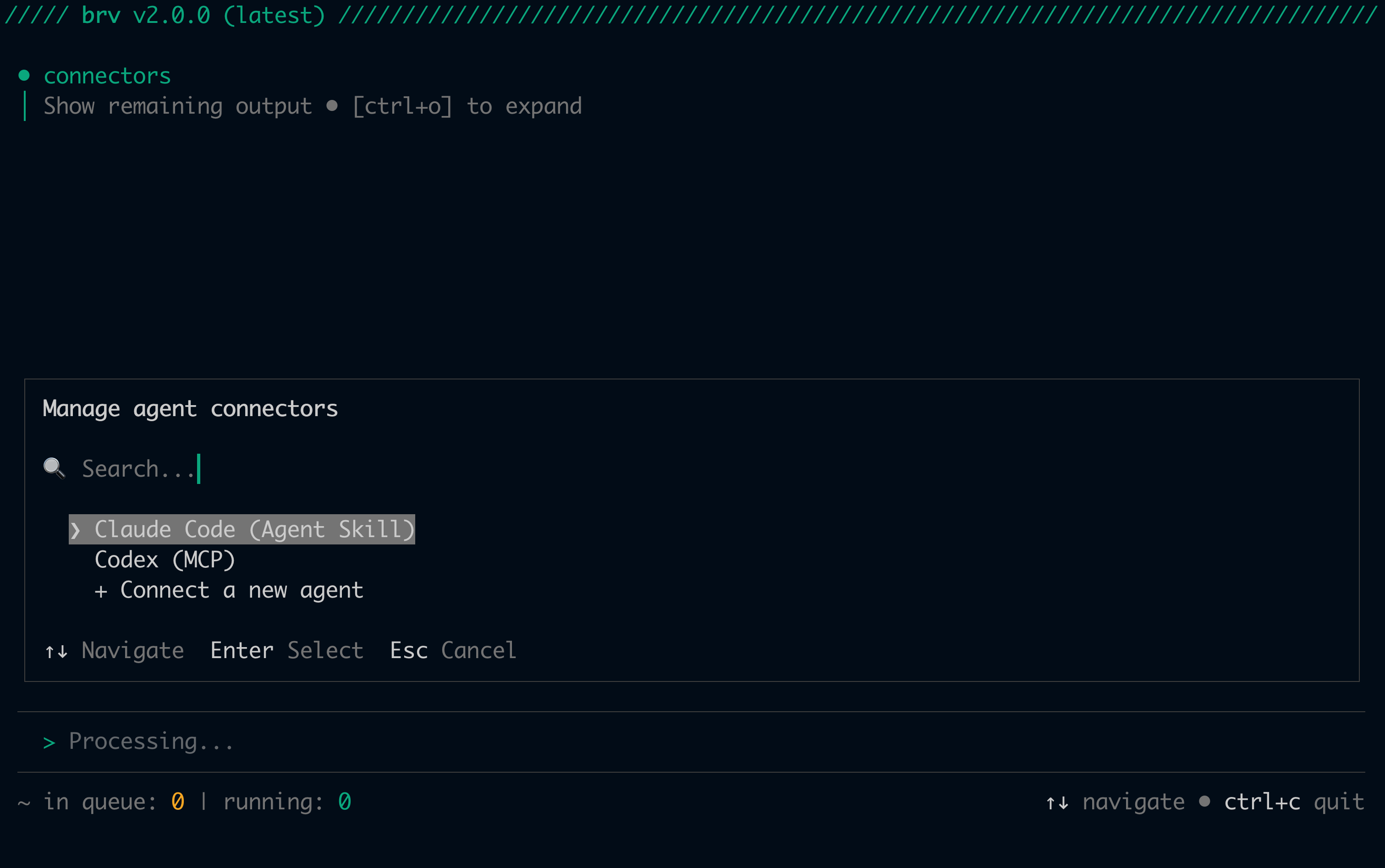
/connectors in the interactive TUI to open the connector manager:- Detect — Scans for currently installed connectors
- Select — Choose to manage an existing connector or connect a new agent
- Configure — Pick your agent and connector type
- Install — Creates the config file, rule file, or skill files automatically
MCP connectors: Some agents support auto-setup where ByteRover writes the config file automatically. Others require manual configuration — ByteRover will display the steps.Hook connectors: Restart your coding agent after installation to apply the new hooks.Skill connectors: Re-run
brv connectors install <agent> after upgrading the CLI to pick up skill template updates.Supported agents
ByteRover supports 24 AI coding agents. Skill is the default for most agents; MCP is the default for Augment Code, Claude Desktop, Cline, Qwen Code, and Zed:
For agents that support Skill connectors, you can also install additional community agent skills from BRV Hub:
Next steps
Choose your coding agent category to see detailed setup instructions:AI-Powered IDEs
Antigravity, Cursor, Windsurf, Qoder, Zed, Trae.ai
CLI Tools
Claude Code, Auggie CLI, Gemini CLI, Codex, OpenClaude, OpenCode, Qwen Code, Warp
Desktop Apps
Claude Desktop
VS Code Extensions
Cline, Copilot, Kilo, Roo, Augment, Amp, Kiro, Junie