

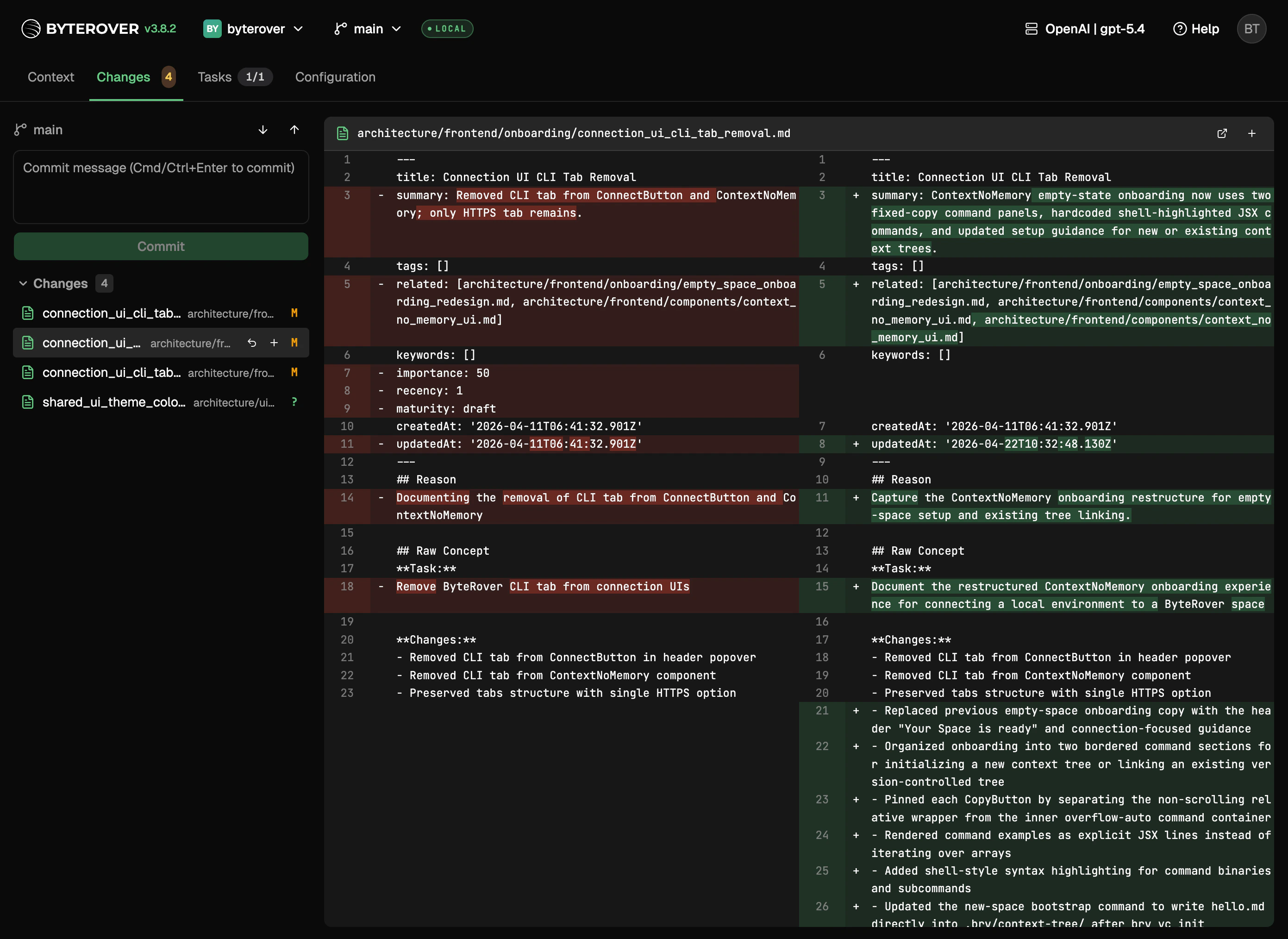
What you can do
- See every pending change across the context tree at a glance
- Review the full diff of any file before committing
- Stage, commit, and write a commit message without leaving the browser
- Push committed changes to your remote space, or pull in changes from teammates
- Resolve merge conflicts file by file
- Approve or reject pending agent edits inline, alongside your own changes
Reviewing agent edits
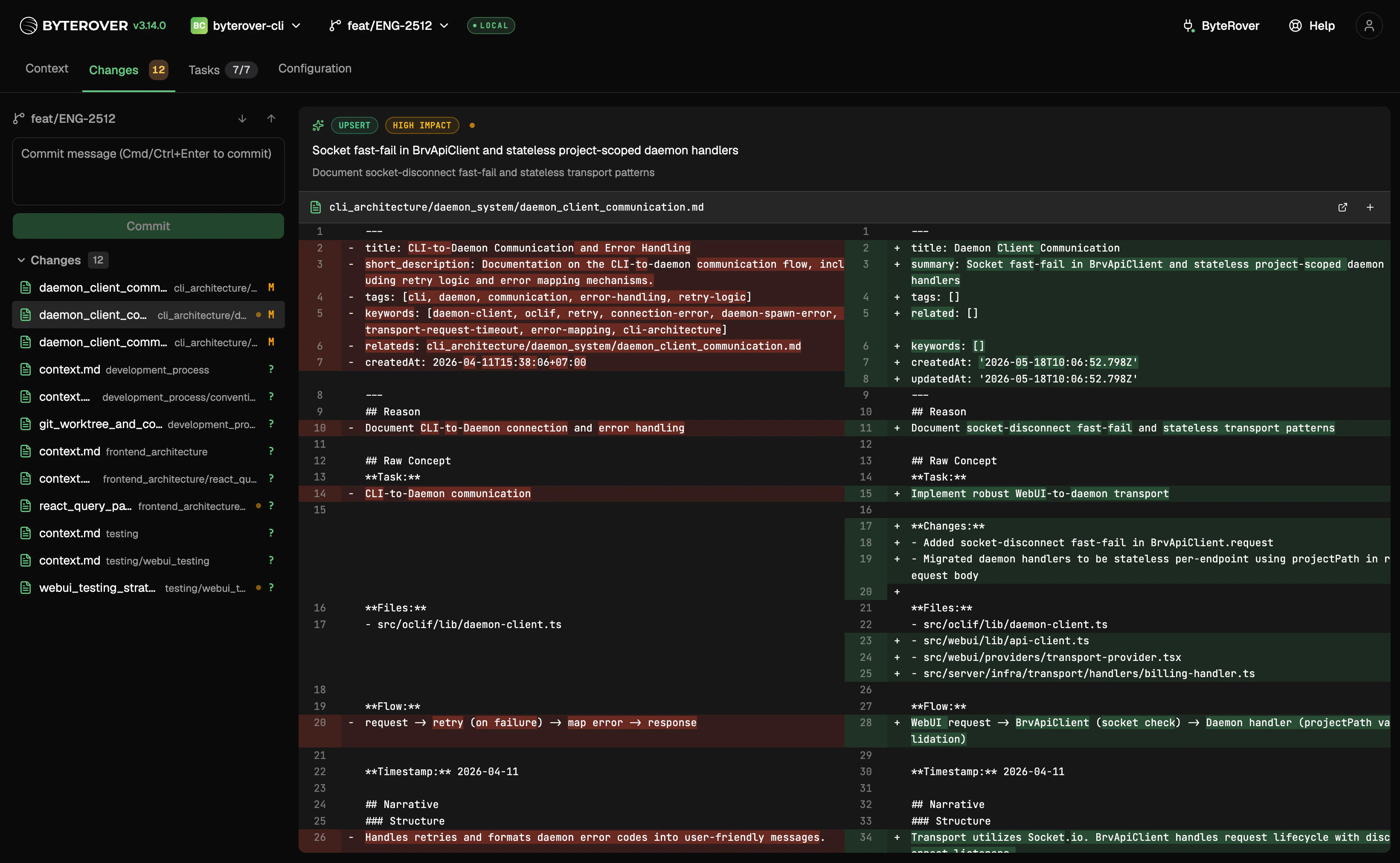
brv review --enable / brv review --disable), edits made by connected coding agents land in the same Staged / Changes / Merge Changes lists as your own work, with extra annotations so you can tell them apart and decide what to do:
- An op-type badge above the diff —
ADD,UPDATE,UPSERT,MERGE, orDELETE— describing what the agent did to the file. - An impact badge —
low impactorhigh impact. High-impact files also get an amber pulse next to the badges, and the tab shows “Worth reviewing — high-impact agent edit” on hover. - The agent’s reason and summary for the change, rendered below the badges, so you can scan intent without reading the diff.
- Stage a pending agent file (or Stage all) approves the edit and moves it into the Staged Changes list, ready to commit.
- Discard a pending agent file rejects the edit and rolls it back immediately — there is no confirmation dialog, since the change wasn’t yours to begin with. Discard all in the Changes list silently rejects every pending agent edit in that bucket and shows the usual confirmation dialog for any of your own edits mixed in.
brv review pending, and anything you resolve from the terminal stops appearing in the tab. See Manage Reviews for the conceptual model and the full CLI surface.
Dashboard notifications about pending agent edits deep-link straight to this tab with the right project pre-selected, so you can review without manually switching projects. Turn the whole flow off per project with
brv review --disable.Signing in for push and pull
Local commits work without signing in. Push and pull require a ByteRover account — see Providers & Models.Merge conflicts
When a pull produces a conflict, you can resolve it by taking the local version, the remote version, or writing the merged result yourself, then commit as usual.Next steps
Git-Semantic VC
Learn the underlying version control model.
Providers & Models
Connect providers and sign in.