

brv providers.
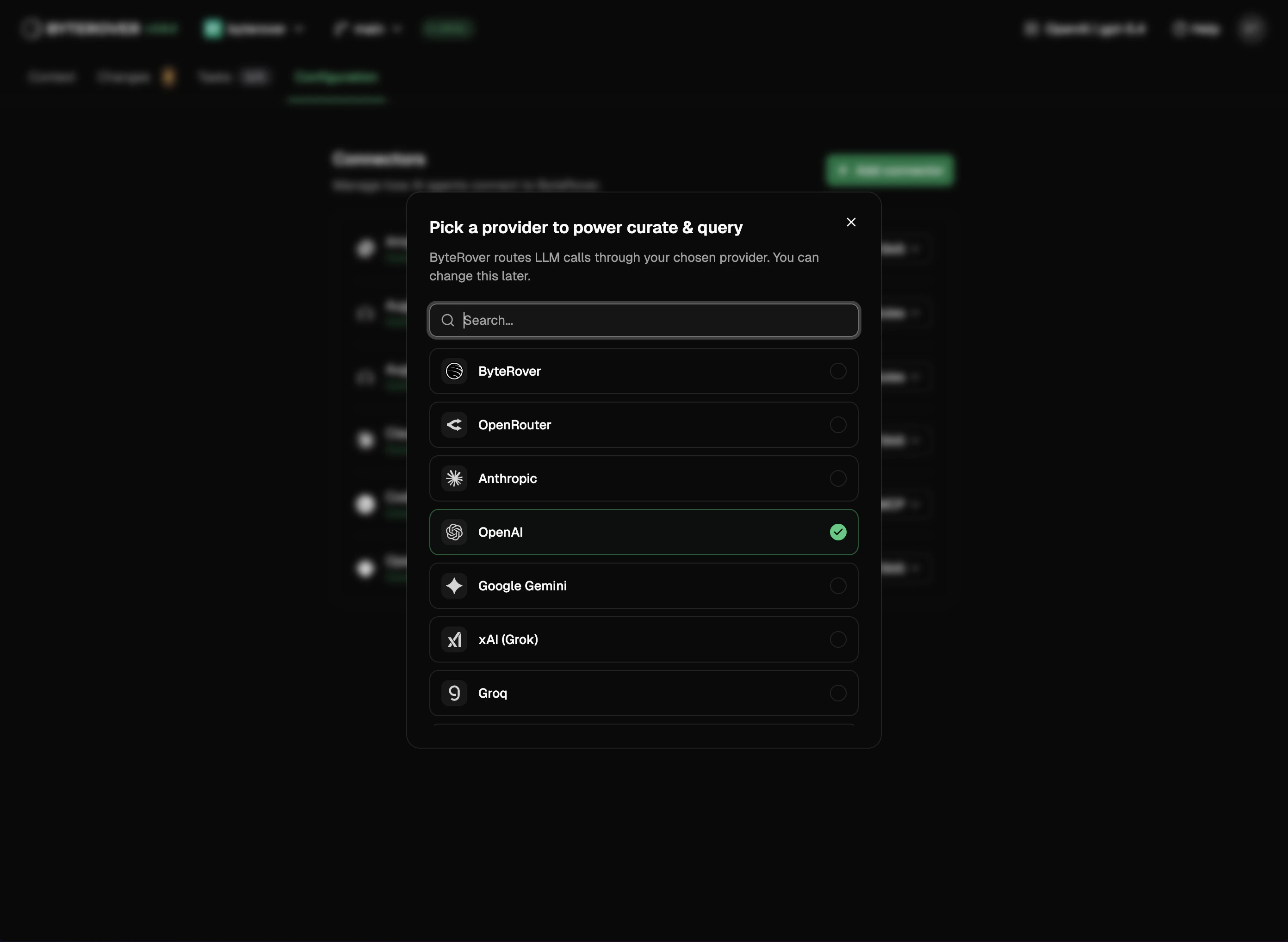
What you can do
- Connect any supported LLM provider via OAuth or API key
- Browse providers with a short description of each — pick by capability, not just brand
- Sign in to ByteRover without leaving the browser
- Pick which paid team’s credits to spend on this project
- See remaining ByteRover credits in the page header
- Switch the active model — every running agent picks it up immediately, no restart
- Point providers at a custom base URL for self-hosted or proxy endpoints
- Disconnect a provider and clear its cached credentials
ByteRover is built in
The ByteRover provider is pinned at the top of the picker with a Native badge — no API key required. Selecting it opens the sign-in popup directly; there’s no extra confirmation step in between. Once signed in, ByteRover is the active provider and you can curate and query without configuring anything else.Credits in the header
When ByteRover is the active provider, your remaining credits appear as a compact pill in the page header — for example12.4k cr or 50k cr. One decimal of precision so a tight budget stays readable. Free-tier accounts see their personal allotment; paid-team members see the credits of the team currently pinned to this project (see below).
Pick a billing team
If you belong to one or more paid teams, the connect flow includes a billing-team picker after sign-in. Each row shows the team name, tier, and remaining credits. The team you pick is remembered per project — open a different project and the picker remembers a different choice. Free-tier accounts and members with no paid team skip this step automatically. You can change the pinned team any time by re-opening the provider dialog — switching is non-destructive.When credits run out
If the active team has zero credits remaining, the provider picker shows an alert: “Pick another team, top up, or switch to a bring-your-own-key provider below.” A Top up button opens that team’s billing settings in a new tab. From the same alert you can pick a different team or scroll down to connect a third-party provider instead.What signing in unlocks
Signing in to ByteRover lets you use the built-in ByteRover provider as your LLM — no external API key needed. It’s also required to push or pull context in Changes.Next steps
LLM Providers
Full provider reference.
Tasks
Run curate and query tasks.