

Billing: line and in the web UI header as a <N> cr pill. If you belong to one or more paid teams, you can also pick which team to bill per project — see Pick a billing team.
Connect a provider
- TUI
- CLI
1
Open the provider selector
(Current) for the active provider, [Connected] for previously connected ones.2
Select and connect
Select an unconnected provider. Providers that support OAuth (currently OpenAI) will present a choice — “Sign in with OAuth” to authenticate via your browser, or “API Key” to enter a key manually. Other providers prompt for an API key directly. ByteRover validates credentials before saving. After connecting, a model selector opens automatically.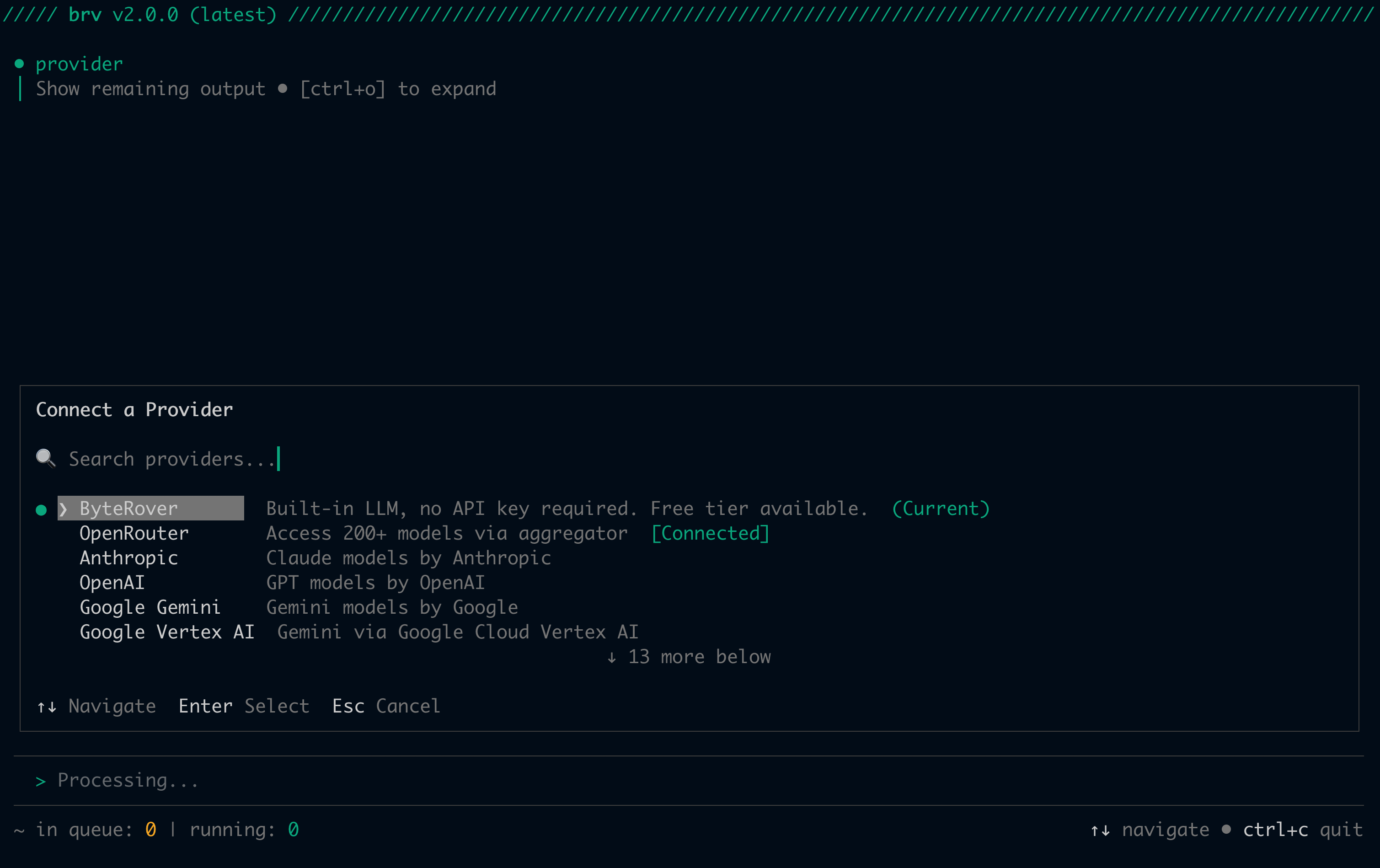
Select a model
- TUI
- CLI
1
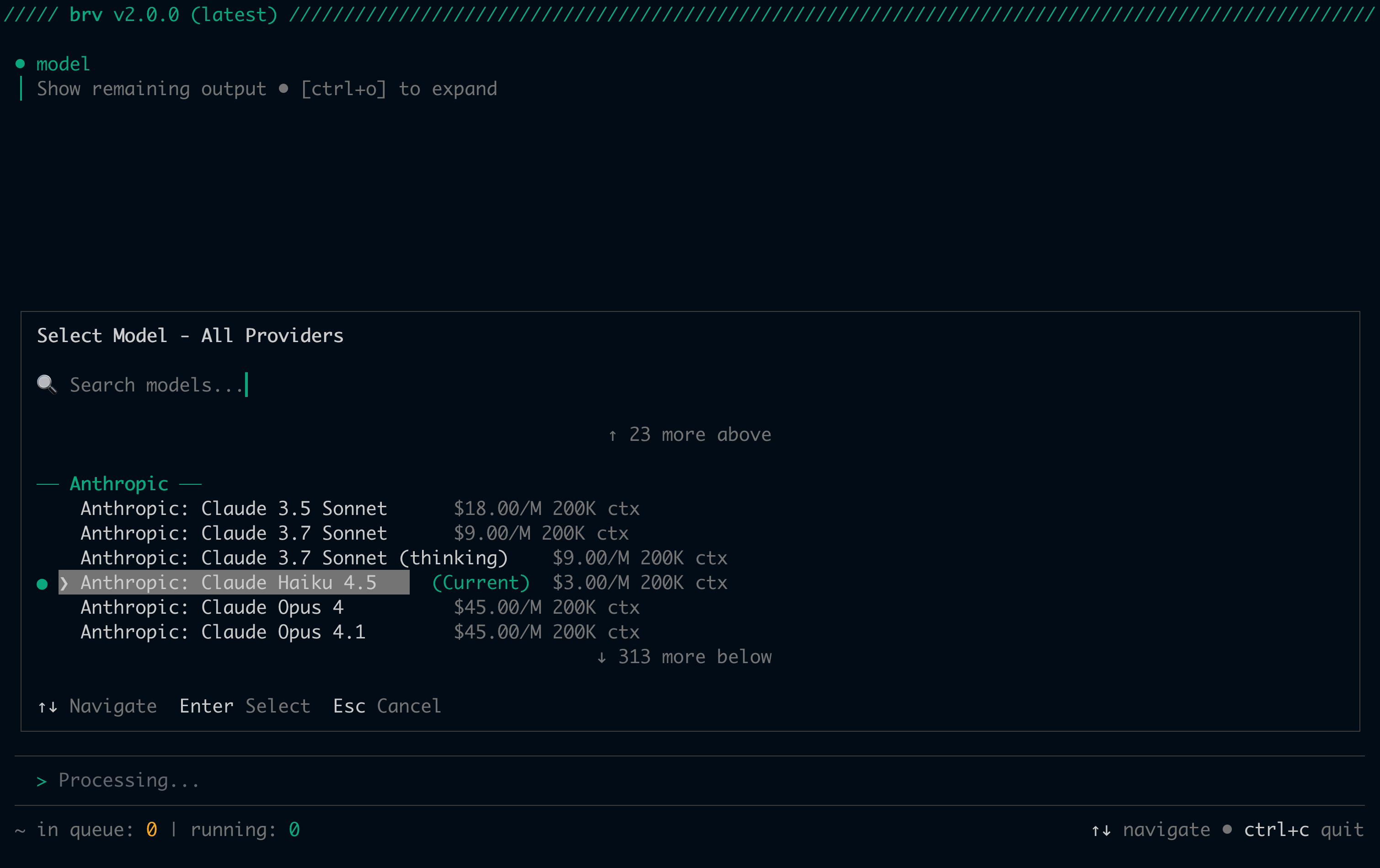
Open the model browser
2
Select a model
Use arrow keys to browse and press Enter to select. You can also type to filter models by name or provider.
Model lists are cached for 1 hour. ByteRover refreshes automatically when the cache expires.
Switch providers
- TUI
- CLI
1
Open the provider selector
2
Select a connected provider
Select any provider marked
[Connected]. ByteRover switches without re-entering your API key.Pick a billing team
The built-in ByteRover provider charges credits against a billing team. Personal accounts on the free tier always bill to their personal allotment. If you are a member of one or more paid teams, you can choose per project which team’s credits get spent. When the picker appears- TUI / web UI: as a step in the ByteRover provider-connect flow, after sign-in, only if you have at least one paid team.
- CLI: pass
--team <name>tobrv providers connect byterover. The flag accepts a team name or slug and is only supported for thebyteroverprovider.
- REPL header:
Billing: <team> (<remaining> credits, <tier>)for paid teams, orBilling: Personal free credits (<remaining> / <total>)for the free tier. - Web UI: a
<N> crpill next to each team row in the picker and in the page header (e.g.12.4k cr,50k cr). One decimal of precision so12.4kand12.9kstay distinguishable.
- CLI —
brv curateandbrv queryfail and a message that names every other paid team you could switch to. For free-tier accounts, the message tells you to upgrade to a paid team. - Web UI — the provider picker shows an “exhausted” alert with a Top up button. The button opens your team’s billing settings in a new tab. You can also pick another team or switch to a bring-your-own-key provider directly from the alert.
Disconnect a provider
Disconnecting removes the stored API key and reverts to ByteRover’s built-in LLM if the disconnected provider was active.- TUI
- CLI
1
Open the provider selector
2
Select a connected provider
Select a connected provider to open the actions menu.
3
Select Disconnect
Choose Disconnect to remove the stored API key and disconnect the provider.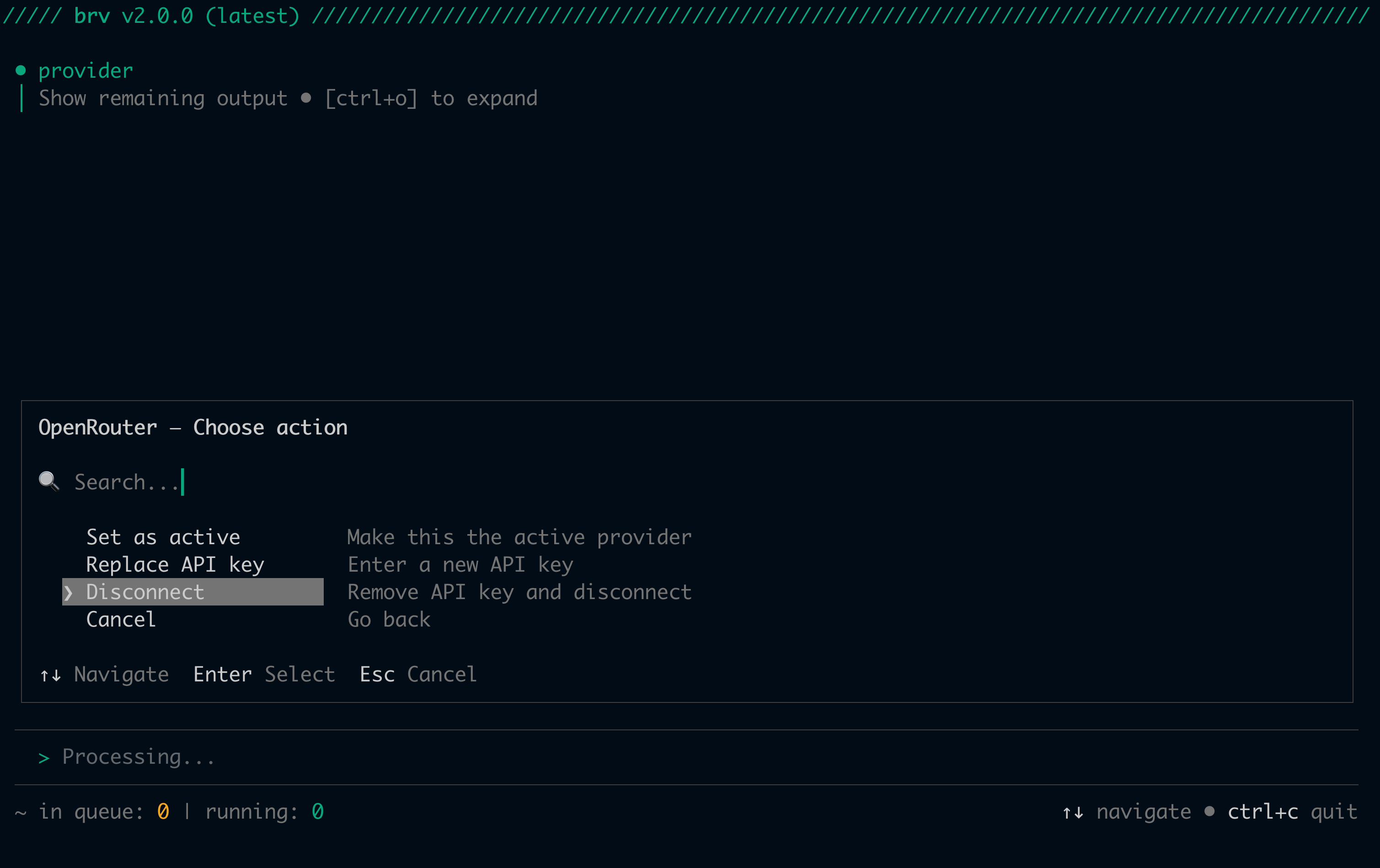
Local LLM setup
Theopenai-compatible provider connects to any OpenAI-compatible local server — Ollama, LM Studio, vLLM, or any custom endpoint. You provide the base URL when connecting.
When listing models from the endpoint, brv providers connect dedupes by model ID. Upstreams that return the same model under multiple aliases (for example NVIDIA NIM) show as a single row in the picker.
- TUI
- CLI
1
Serve your model
Make sure your local LLM server is running before connecting.
2
Connect the provider
Run 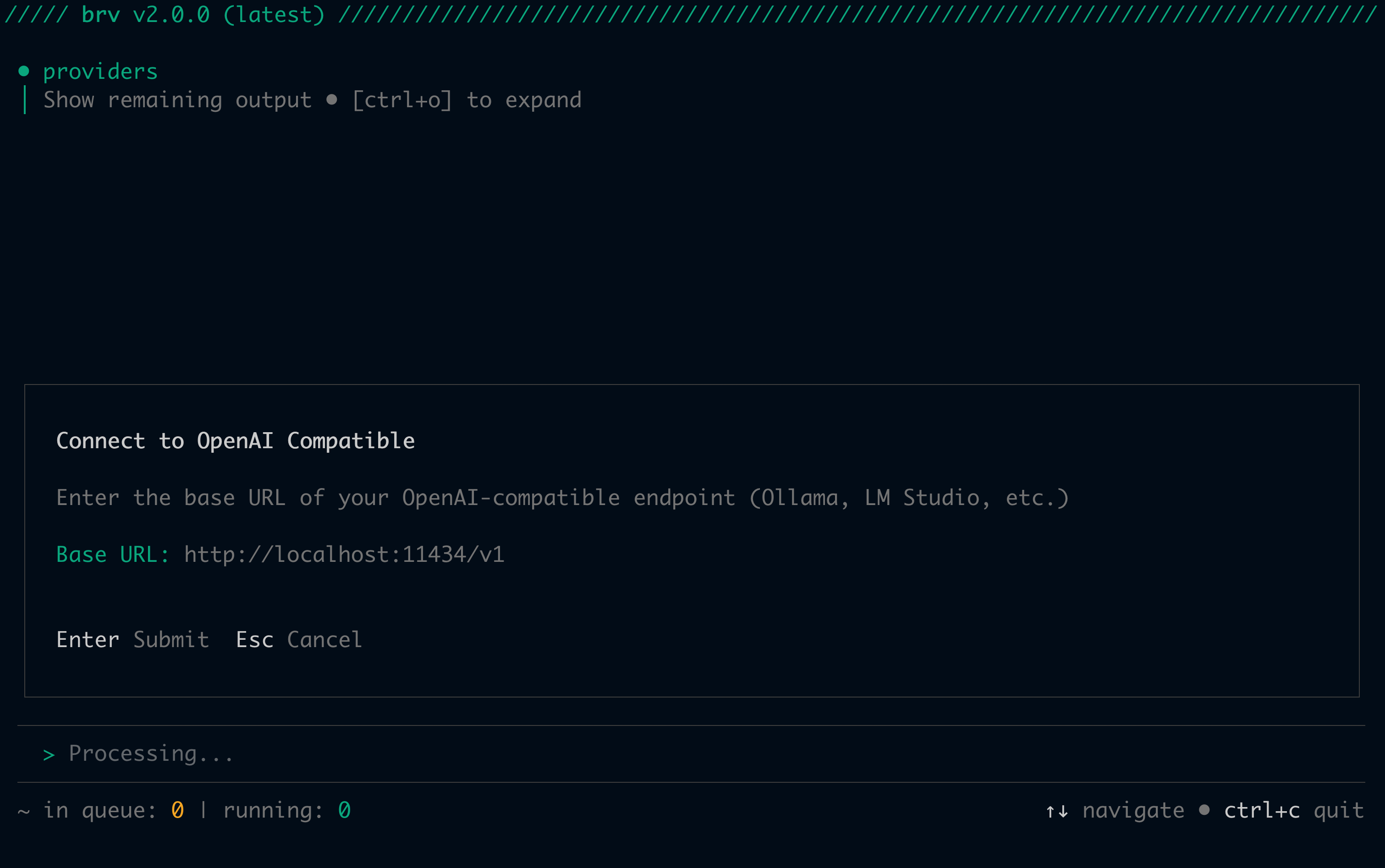
/providers and select OpenAI Compatible. ByteRover prompts you to enter the base URL of your endpoint:http://localhost:11434/v1 for Ollama). An API key prompt follows — leave it blank if your server doesn’t require one.3
Select your model
Supported providers
ByteRover supports 20 providers:Recommended LLM list
The following models have been verified and are recommended for optimal performance with ByteRover:Environment variable auto-detection
If an API key is already set in your environment, ByteRover detects it automatically — no manual entry needed when connecting.Hot-swap
No restart required when switching providers or models. When you switch, ByteRover broadcasts aprovider:updated event and agent processes pick up the new configuration at the start of their next task. If tasks are already running, the swap is deferred until all in-flight tasks complete.
Two behaviors depending on what changed:
- Provider changed — a new session is created. In-memory conversation history is cleared (history formats are incompatible across providers).
- Model only changed — the session ID is reused, but in-memory conversation history is still lost on the new session manager.
Credential storage
API keys are stored in an AES-256-GCM encrypted local file — not your system keychain. Both files use0600 permissions (owner read/write only).
OAuth tokens are stored alongside API keys in the same encrypted storage and are automatically refreshed by the daemon — no manual token management required.
Non-sensitive preferences (active provider, active model, favorites, recent models) are stored in plaintext at
<config-dir>/providers.json.
Platform-specific paths:
Next steps
Quickstart
Full setup guide including provider configuration
CLI Reference
Complete reference for all
brv providers and brv model commands