

Overview
ByteRover V3 introduces a new CLI-based architecture that replaces the V2 MCP server approach. This guide provides essential information about the transition from V2’s MCP tools to V3’s interactive CLI and context tree system.What’s Changing
| Feature | V2 (Deprecated) | V3 (Current) |
|---|---|---|
| Interface | MCP server tools | Interactive CLI REPL |
| Storage | Cloud-only | Local context tree + Cloud sync |
| Primary Commands (Tools) | byterover-store-knowledgebyterover-retrieve-knowledge | /curate/query |
| Setup | MCP server configuration | CLI installation |
| Connection | https://mcp.byterover.dev/v2/mcp | Local CLI + API |
| Context Management | Automatic via agent | Manual + automatic workflows |
Key Benefits of V3
Local Context Tree
Organize knowledge in a structured local workspace with domain-specific folders
Interactive REPL
Direct control over context management through an intuitive command-line interface
Team Collaboration
Push/pull context changes with version control-like workflows
Flexible Workflows
Choose between manual curation and automatic agent-driven workflows
Agent-Specific MCP Deprecation Guides
Detailed instructions for your specific coding agent to remove the old Byterover MCP configuration (V2):AI-Powered IDEs
Command Line Tools
VS Code Extensions
Desktop & Web Apps
Getting Help
V3 Documentation
Full CLI guides and quickstart
Discord Community
Get help from the community
Migration Support
Email support for migration
Dashboard
Manage your workspaces
FAQ
Will my V2 data be automatically migrated?
Will my V2 data be automatically migrated?
ByteRover will provide automatic migration for registered users starting January 25, 2026.
Can I use both V2 and V3 during migration?
Can I use both V2 and V3 during migration?
Yes, but during data migration, only
byterover-retrieve-knowledge is available, knowledge addition is halted for migration. But we recommend completing migration quickly to avoid confusion. V2 and V3 use separate storage systems.How do I clean up the V2 configuration?
How do I clean up the V2 configuration?
The process is straightforward - we’ve provided agent-specific guides in the migration section above to help you remove V2 MCP configurations from your coding tools.
How can I access the old V2 web application?
How can I access the old V2 web application?
You can access the legacy V2 web application in two ways: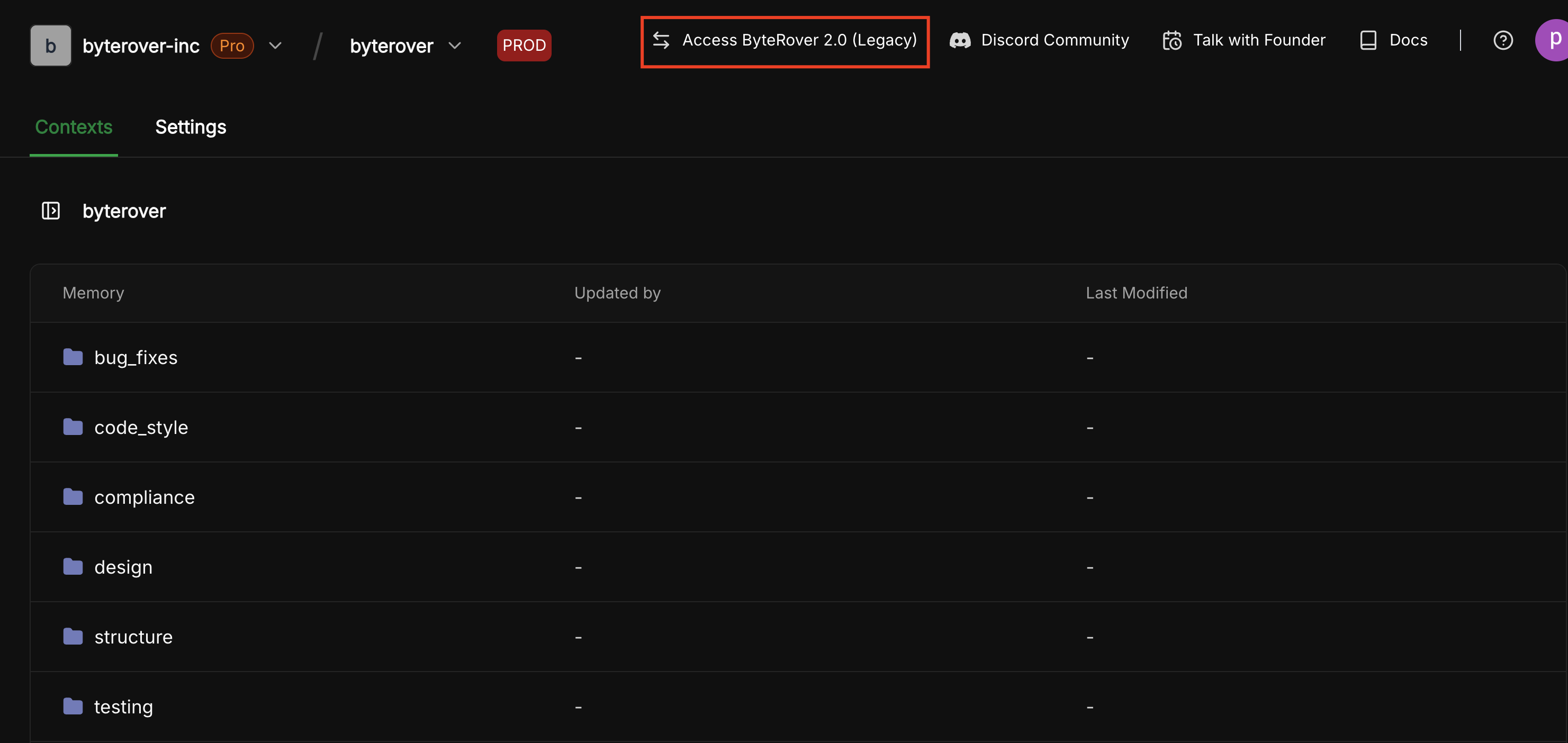
- Direct URL: Navigate to https://app-v2.byterover.dev/
- From the new V3 web app: In the dropdown menu, select “Access ByteRover 2.0 (Legacy)”:
Ready to go CLI? Start with the V3 Quickstart Guide for detailed CLI setup instructions.